
Map
Define your lead sources, customer journey, pipeline stages, and key next steps.
Keep Leads, Conversations & Follow-Up Organized
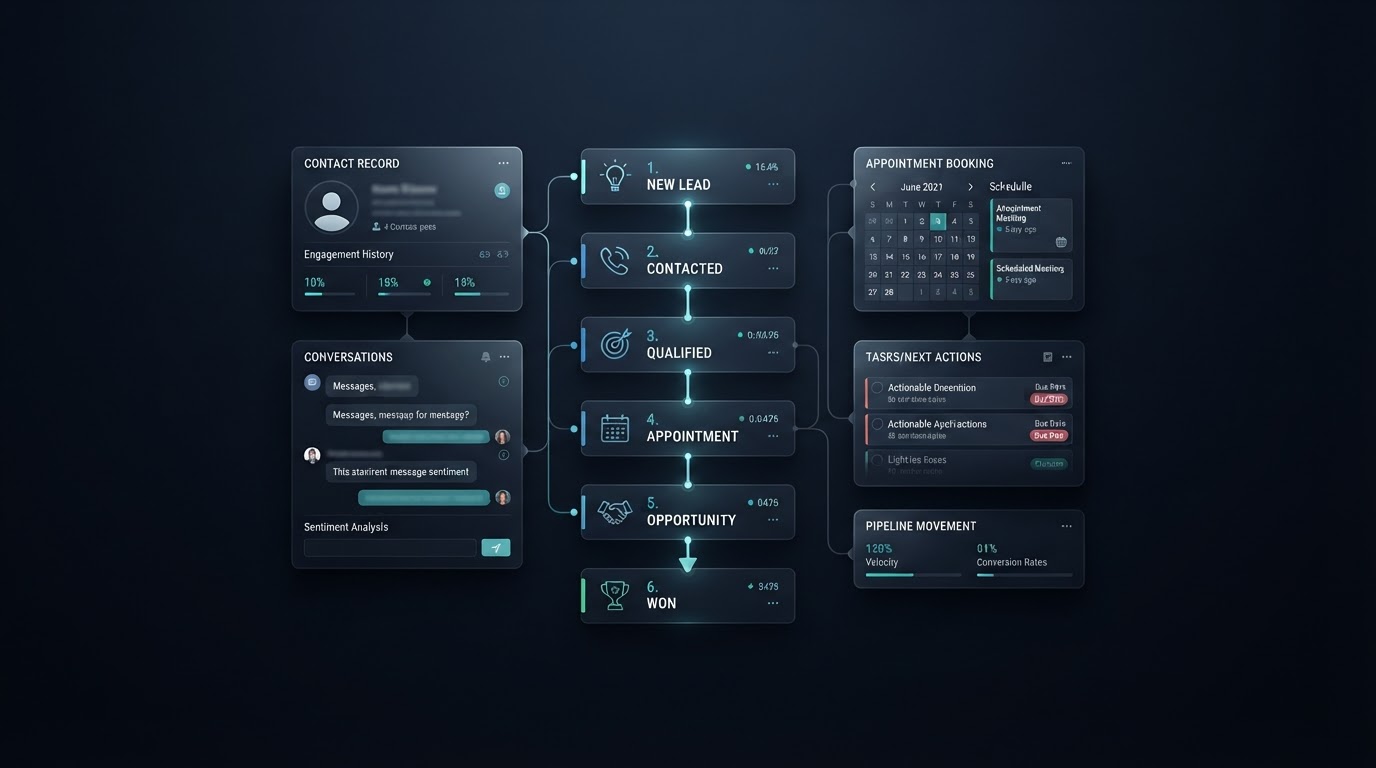
HiVoltEdge connects your leads, conversations, appointments, pipeline stages, and follow-up so your team can see what needs attention and what should happen next.
One Organized Customer Journey
HiVoltEdge brings leads, conversations, appointments, and follow-up into one live pipeline so your team always knows what needs attention and what happens next.
Stage Action: Scope & budget confirmed
See where each opportunity stands and what your team should focus on next.
Keep contact and opportunity details organized from supported conversations and activity.
Trigger approved tasks, reminders, notifications, and follow-up as stages change.
Keep calls, texts, appointments, notes, and conversations tied to one customer record.
Connected Customer Journey
AI Employees and Automation Workflows can help collect information, trigger follow-up, update records, and keep opportunities moving through the configured customer journey.
AI Voice or AI Chat captures the interaction.
Contact and conversation details stay organized.
Qualification and pipeline stage update automatically where supported.
Booking or approved workflow moves the next step forward.
Tasks, reminders, or follow-up keep the journey moving.
AI Voice or AI Chat captures the interaction.
Contact and conversation details stay organized.
Qualification and pipeline stage update automatically where supported.
Booking or approved workflow moves the next step forward.
Tasks, reminders, or follow-up keep the journey moving.
One Connected View
The exact CRM setup depends on your workflow, connected systems, permissions, and configuration.
From Scattered Leads to Clear Next Steps
Define your lead sources, customer journey, pipeline stages, and key next steps.
Connect approved forms, calendars, conversations, AI Employees, and automation workflows.
Test the process, launch the system, and refine stages or workflows as your business needs become clearer.
Define your lead sources, customer journey, pipeline stages, and key next steps.
Connect approved forms, calendars, conversations, AI Employees, and automation workflows.
Test the process, launch the system, and refine stages or workflows as your business needs become clearer.
CRM & Pipeline FAQ
A sales pipeline CRM organizes leads, conversations, appointments, opportunities, and follow-up in one connected system. Instead of scattered notes and inboxes, your team can see where each opportunity stands and what should happen next.
HiVoltEdge can track contacts, conversations, calls, texts, forms, appointments, pipeline stages, opportunities, tasks, follow-up, and supported social engagement. The exact fields and stages depend on your workflow, connected systems, and configuration.
Yes. Calls, texts, website chat, forms, appointments, and supported social engagement can connect to the CRM so each conversation stays linked to the right contact and opportunity. Available connections depend on your systems, access, plan, and configuration.
Yes. AI Employees can collect information and trigger follow-up, while automation workflows can update pipeline stages, create tasks, send reminders, and notify your team. The exact behavior depends on your setup and configuration.
Start with a 1-on-1 walkthrough. We review how your business handles leads, conversations, appointments, and follow-up, then recommend the pipeline stages, CRM fields, and automation that fit your customer journey.
Ready to See Your Customer Journey More Clearly?
See how HiVoltEdge can connect your leads, conversations, appointments, follow-up, and next steps in one organized system.